Persist OS and Data Disks
Stateful nodes can persist data when VMs need to be replaced. Stateful Node breaks this down into two parts which are described below.
Persist OS Disk
Persist OS preserves the operating system and configuration data stored on your root disk during VM replacements, allowing applications to resume from their previous state. By default, OS disks are deleted when a VM terminates. Enable the Persist OS feature to change this behavior and maintain disk data across replacements.
Persist Data Disks
Persist Data maintains the data disk during VM replacement. All data disks that were attached at the time of the previous VM termination will be automatically re-attached using the same configuration upon VM replacement.
How it Works
Both Persist OS Disk and Persist Data Disk provide the Re-attach and Snapshot persistence methods.
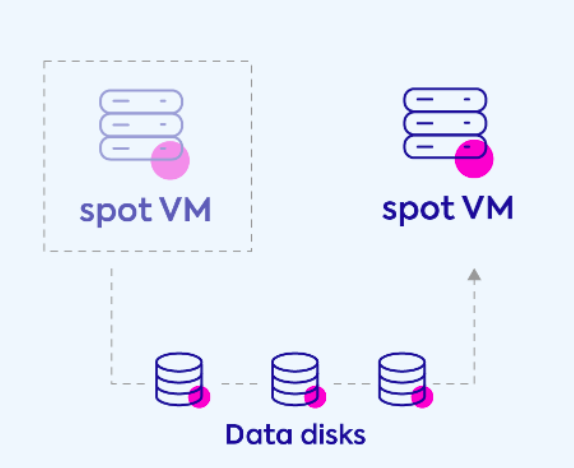
Re-attach Disks (recommended for large data disks)
The same disk is detached from the original VM and reattached to the newly launched VM. If the new VM is launched in a different availability zone (AZ), Spot creates a new disk from the latest snapshot and attaches it to the new VM (as disks cannot be migrated between AZs). Spot maintains the same disks as long as the VM is launched in the same AZ.
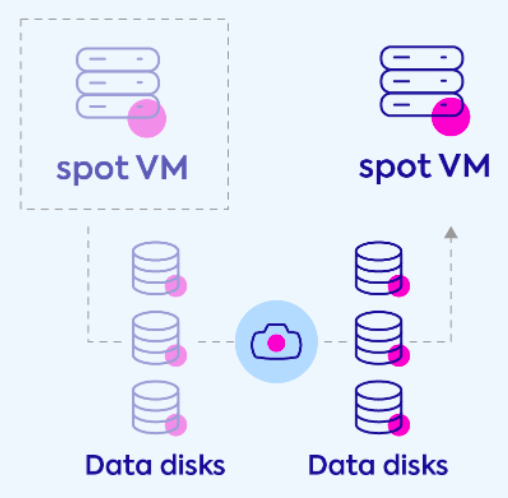
Take Snapshot
A snapshot is taken from the disk while the VM is terminated. Once a new VM is launched, a new disk is created by restoring the previous disk’s snapshot.